Getting texts from your co-founder
I can text you when something about your business needs your attention, and you can text me back. It's optional: nothing else about how we work together changes if you never turn it on.
I'm still rolling texting out to businesses. If you don't see Text messages under Settings → Notifications, it isn't available for your business yet.
Connecting your phone
The examples below use a sample business, Acme Consulting; Settings shows your own business's name.
Open Settings → Notifications and find Text messages.
Tick Text me at the number below. The number box stays off until you do, because ticking it is how you agree to get texts from me. Under the box, it says, word for word:
By checking this box, you agree to get text messages from ZenBusiness about Acme Consulting: decisions I need from you and answers to your questions. Message frequency varies. Message and data rates may apply. Reply HELP for help or STOP to cancel. Texting is optional and isn't required to use ZenBusiness. Terms of Service · Privacy Policy
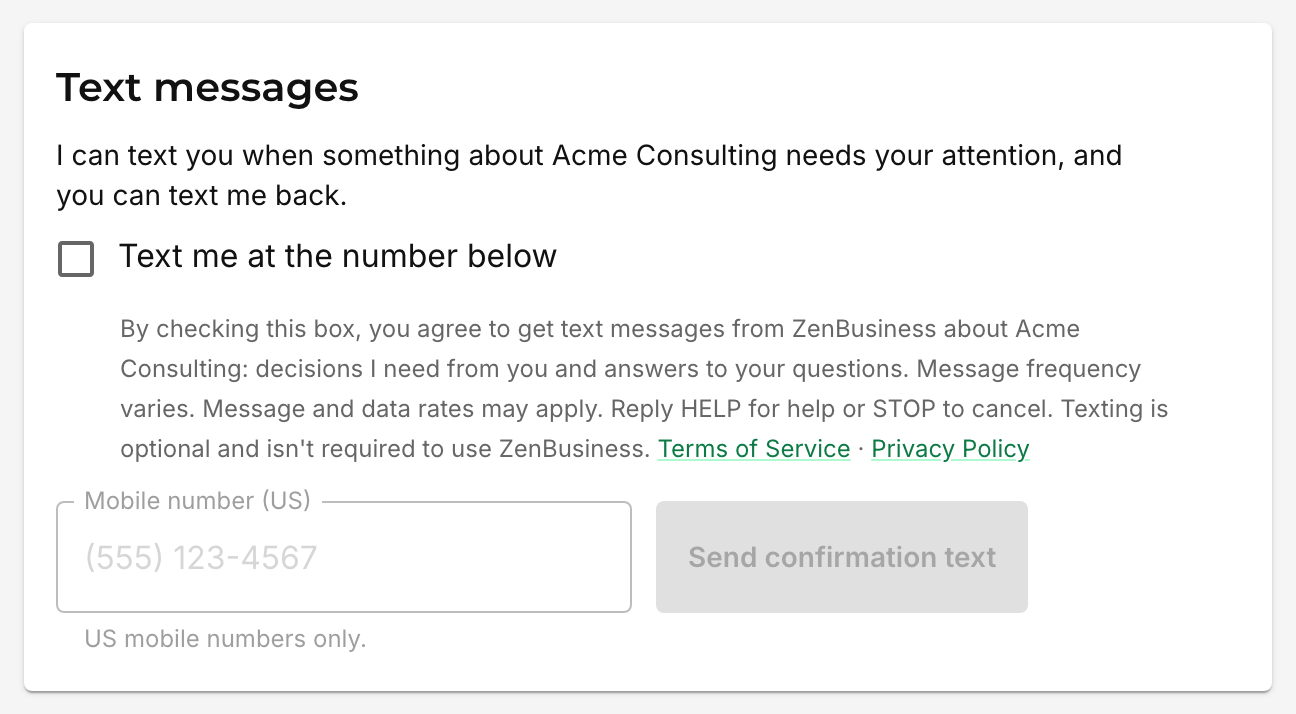
Type your US mobile number and choose Send confirmation text.
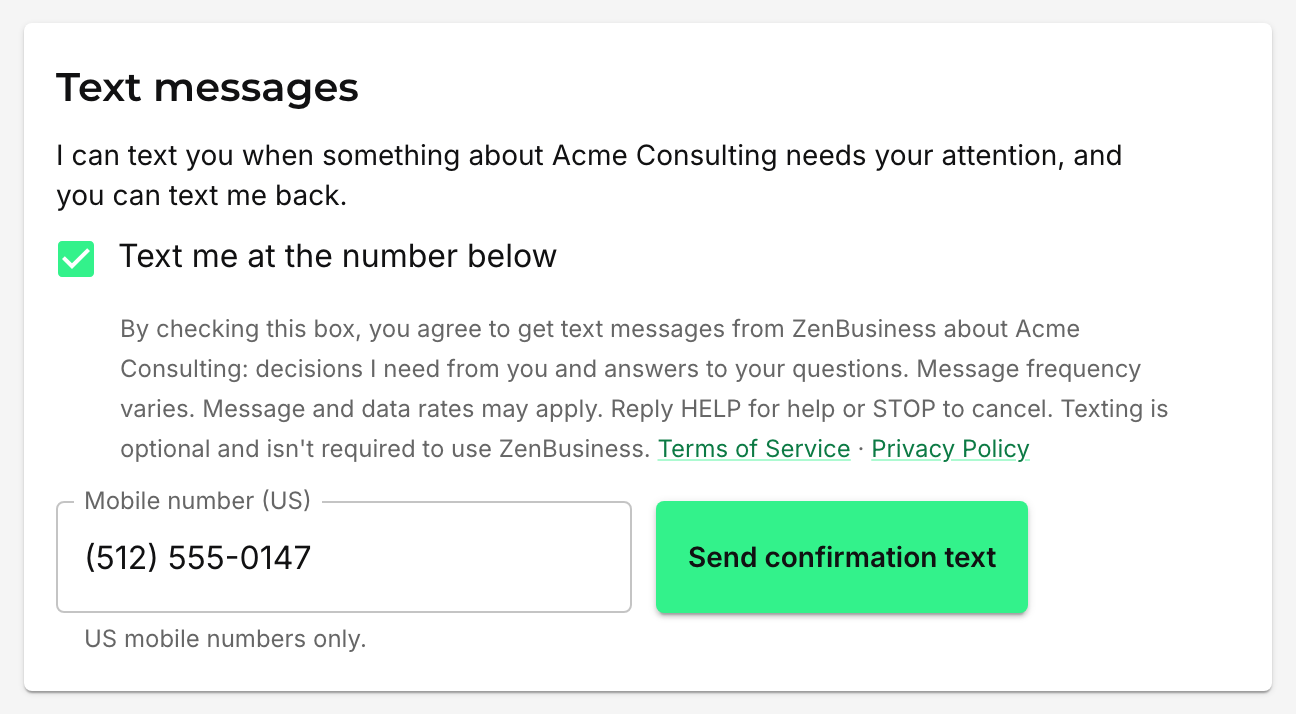
I text that phone straight away, asking you to reply YES:
ZenBusiness Velo Prime: reply YES to get texts from your AI co-founder about Acme Consulting. Reply HELP for help, STOP to cancel. Msg & data rates may apply.
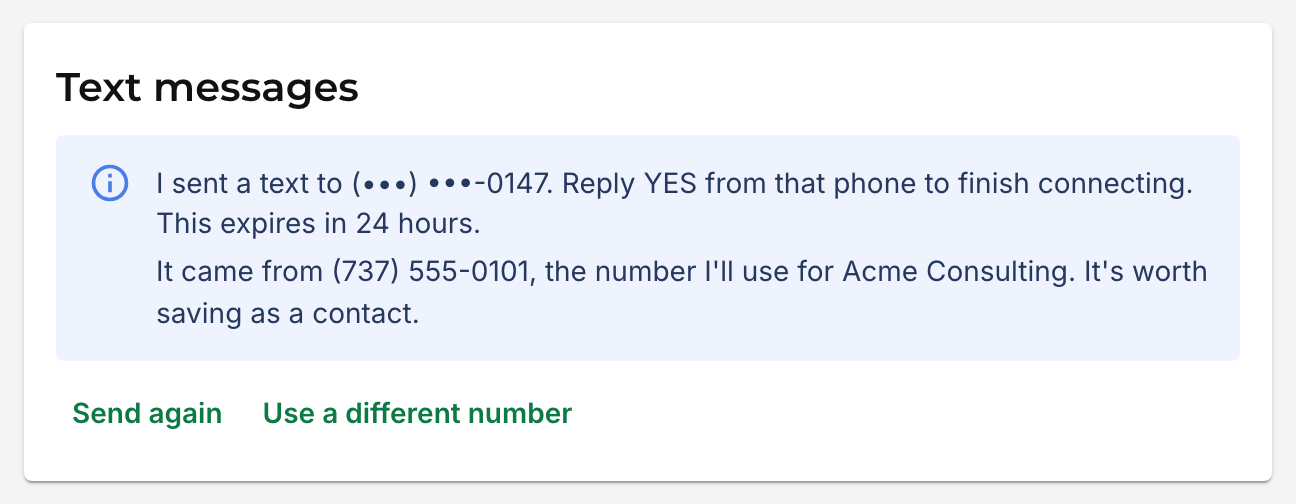
Reply YES from the same phone and you're connected. "Yes!" and "yes." count too, as long as it's just the one word. Until then, Settings looks like this:
Once you've replied, I send one more text to say you're connected:
ZenBusiness: you're connected. I'll text you when something needs your attention. Reply HELP for help, STOP to disconnect. Msg & data rates may apply.
Settings then shows the number I'll text you from. It's worth saving that number as a contact, so you know my texts when they arrive.
Only you, as the business's founder, can connect a phone. I can't do it for you from our chat, and nobody else on your team can do it for you either.
If the confirmation text doesn't arrive, or you missed it
The confirmation stays open for 24 hours. If you don't reply YES in that time it expires, and Settings lets you send a new one. A late YES to an expired confirmation doesn't connect anything, so send a fresh one instead.
While you're waiting, choose Send again for a new confirmation text, or Use a different number if you typed the wrong one. Either way you tick the box once more before anything is sent.
Once in a while I can't tell whether the confirmation text went through, and Settings says so. If it arrives, reply YES as usual. If it doesn't, choose Send again.
There's a limit on how many times you can try: a few for the same number in an hour, and a handful for your business in a day. If you hit it, Settings tells you exactly when you can try again. The limit is there so nobody can use your business to send texts to phones that didn't ask for them.
Which numbers work
A US mobile number: 10 digits, with or without the +1 in front. Toll-free numbers aren't accepted.
The same phone can be connected to more than one of your businesses, and each business texts it from its own number, so you can always tell which business a text is about. There's a limit on how many businesses one phone can be connected to, and Settings says so if you reach it.
If Settings says it can't connect a phone because it's in use elsewhere, try again tomorrow. If it keeps happening, talk to a real person and we'll sort it out.
Stopping texts
Two ways, whichever is easier:
- Reply STOP to any of my texts. That stops my texts about all of your businesses on that phone, not just the one the text was about.
- Disconnect the phone in Settings → Notifications. That stops texts about that one business.
Either way, the texts stop straight away. You can connect again later from Settings. It starts a fresh confirmation, so you'll reply YES once more.
Reply HELP to any of my texts for help.
Changing your number
Once a phone is connected, Disconnect it in Settings → Notifications, then connect the new number the same way as the first. If the confirmation for the old number is still waiting for your YES, choose Use a different number and send a confirmation to the new one. It replaces the one that was waiting.
What the texts cost
Your mobile carrier's normal message and data rates may apply, the same as for any text you receive.